
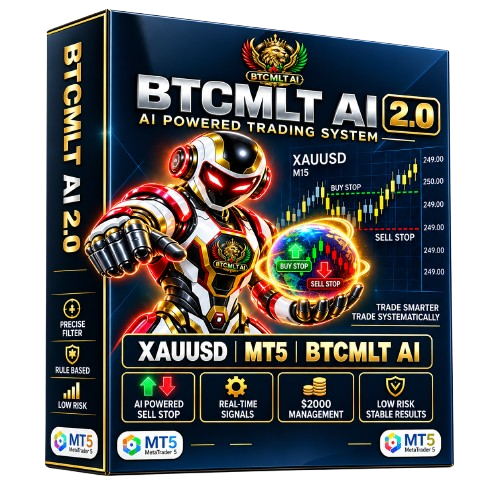
BTC MLT AI
BTC MLT AI is an Expert Advisor (EA) for automated trading on BTCUSD, built for the MetaTrader 5 (MT5) platform. It combines trend filtering (ADX) with volatility measurement (ATR) to recognise strong market phases, opens positions when its rule set is satisfied, and manages them with dynamic lot scaling and trailing-stop exits. Optimised setup files for conservative and standard risk profiles are included with delivery.
Why Use BTC MLT AI?
Rule-based logic, structured entries and predefined risk controls on every position.
- Rule-based entries remove emotional, manual trading decisions.
- ADX trend and ATR volatility filters keep entries structured in fast crypto markets.
- Full automation across the always-open BTCUSD market, weekends included.
- Dynamic lot scaling adjusts position size automatically to the account balance.
- Trailing-stop exits lock in gains as trends extend — no fixed target required.
What BTC MLT AI does
BTC MLT AI settings explained
What each default parameter does, with conservative adjustments for controlled risk.
EA identification
- Magic Number
- 111111 — unique identifier that keeps EA trades separate from manual trades or other EAs.
Trend and volatility filters
- Sideway Filter
- Enabled — skips ranging markets.
- ADX Threshold
- 20.0 — trades only when trend strength reads 20 or higher.
- ATR Threshold
- 0.001 — skips low-volatility phases.
Combined filters raise entry quality: ADX confirms a strong trend while ATR confirms there is enough movement to trade.
Order settings
- Take Profit
- 100000 — intentionally very large, so there is effectively no fixed target.
- Stop Loss
- 50000 — wide protective stop.
- Slippage
- 10 — maximum accepted price deviation.
- Alerts
- Disabled — no terminal notifications.
- OCO Mode
- Disabled — no one-cancels-other logic.
- Min Distance Same Direction
- 0 — positions may stack without spacing.
With no fixed target and no spacing rule, exits depend on the trailing stop and positions can stack aggressively — use the conservative setfile to tame this.
Lot size settings
- Fixed Lot Mode
- Disabled — lot size scales dynamically.
- Fixed Lot Size
- 0.01 — inactive while dynamic mode is on.
- Lot per $100
- 0.01 — scaling factor applied to the balance.
- Max Lot Limit
- 100 — very high ceiling; lower it for safety.
- Margin Percentage
- 100% — full margin use permitted.
Dynamic scaling compounds quickly on crypto — 0.01 lot per $100 is aggressive. Halve it for calmer growth.
Position management
- Max Open Positions
- 99 — very high ceiling; lower it for safety.
- Force Min Volume
- Enabled — always respects the broker minimum lot.
- Min Candle Gap
- 1 — minimal spacing between entries.
- Balance Threshold
- 1.0 — balance trigger for scaling steps.
Up to 99 simultaneous positions with a 1-candle gap means high trade frequency — cap positions at 5–10 for controlled exposure.
Weekend and time filter
- Disable Weekend Trading
- No — crypto trades through the weekend.
- GMT Offset
- 2 — align this with your broker server time.
Crypto runs 24/7, so weekend trading is supported — expect thinner, more volatile moves.
Trailing stop
- Trailing Stop
- Enabled — the main profit-locking mechanism.
Because the take profit is effectively disabled, the trailing stop is what secures gains as trends extend.
For safer trading
- Reduce Max Open Positions to 5–10.
- Reduce Max Lot Limit to 1–5.
- Add a fixed take profit of 1000–3000 points.
- Lower the stop loss to 2000–5000 points.
For balanced growth
- Keep the trailing stop enabled.
- Soften lot scaling to 0.005 per $100.
- Require spacing between entries of at least 200 points.
Getting started in four steps
Install the EA file into the MT5 Experts folder, load one of the included .set files, and restart the terminal.
Attach BTC MLT AI to a BTCUSD chart (M5 to H1), align the GMT offset with your broker time, and allow automated trading.
Start with the conservative setfile and validate everything on a demo account first.
Never trade with funds you cannot afford to lose.
BTC MLT AI details
- Trading platform
- MetaTrader 5 (MT5)
- Timeframes
- M5, M15, M30, H1
- Instrument
- BTCUSD (Bitcoin)
- Minimum / recommended deposit
- $100
- Leverage
- 1:20 or higher, hedging account
- Setup files
- Included (conservative + standard)
- Licence type
- Single account, digital delivery
- Delivery
- Instant digital delivery + installation guidance
Frequently asked questions
What is BTC MLT AI and how does it work?
BTC MLT AI is an automated Expert Advisor for BTCUSD on MetaTrader 5. It uses ADX trend and ATR volatility filters to recognise strong market phases, then opens and manages positions by fixed rules with dynamic lot sizing and trailing-stop exits.
Is BTC MLT AI suitable for beginners?
Yes, with basic preparation. Because the default settings are aggressive, beginners should learn position sizing first, load the conservative setfile, and validate on a demo account before any live use.
What trading strategy does it use?
A trend-following strategy with volatility confirmation and multi-position scaling: ADX confirms trend strength, ATR confirms movement, and the EA stacks positions through extended trends, exiting via trailing stop instead of a fixed target.
Does it use grid or martingale?
No classic martingale. However, its multi-position stacking can concentrate exposure like grid trading, so cap Max Open Positions at 5–10 to keep risk controlled.
How does it manage risk?
Through dynamic lot sizing, trailing-stop exits and technical entry filters. There is no hard drawdown cap by default, so set your own limits: lower max positions, cap max lot, and add a fixed stop loss.
Why is there no fixed take profit?
The take profit is set very large by design. Instead of a fixed exit level, the trailing stop locks in profit progressively as the trend extends.
What are the main risks?
Wide stop loss, high position counts and dynamic scaling can produce deep drawdowns in choppy markets. Use the conservative setfile, test on demo, and never trade funds you cannot afford to lose.
Can it open many positions at once?
Yes — the default ceiling is 99 simultaneous positions, which is very aggressive. Reduce it to 5–10 for controlled exposure.
Which markets, timeframes and platform does it need?
BTCUSD on MetaTrader 5, timeframes M5 to H1. Crypto trades 24/7 including weekends; the default GMT offset is +2 — align it with your broker server time.
What is the minimum deposit and leverage?
A $100 minimum deposit is suggested with leverage of 1:20 or higher on a hedging account. Larger balances handle the default scaling more comfortably.
How do I install it?
Copy the EA file into the MT5 Experts folder, load an included .set file, attach it to a BTCUSD chart and allow automated trading. Step-by-step installation guidance is included, and support replies within 2–3 hours.
Are any results guaranteed?
No. Past performance never guarantees future results. Always test on demo first and never trade with funds you cannot afford to lose.
Use software responsibly
Every product is educational and rule-based. Review these points before live use.
Questions before you buy?
Our support team answers compatibility, licence and setup questions within 2–3 hours.
Talk to SupportRead the FAQsMore from BTCMLTAI